



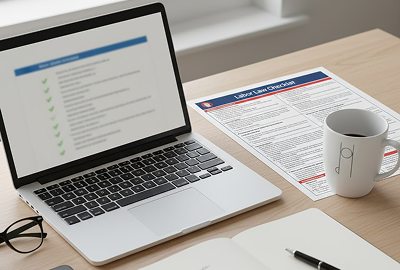
In the rush to embrace remote and hybrid work, some companies forget that remote worker labor law posters aren’t just décor for the break room. Whether your staff clocks in from a living room or a traditional office, they still have a legal right to see notices about minimum wage, overtime rules, anti‑discrimination laws, and more. For employers managing distributed teams, a labor law compliance service tracks state-specific rules across every employee location. Employers who ignore these rules risk penalties, employee claims, and costly audits.
This guide explains how federal, state, and local posting requirements apply to remote and hybrid teams, what the U.S. Department of Labor (DOL) allows for digital posting, and how you can deliver required notices to workers who rarely set foot in an office.
Do Labor Law Posters Apply to Remote Employees?
Federal requirements
At the federal level, laws such as the Fair Labor Standards Act (FLSA), the Family and Medical Leave Act (FMLA), the Employee Polygraph Protection Act (EPPA), and the Service Contract Act (SCA) require employers to “post and keep posted” notices explaining employee rights. These federal labor law posters must be continuously accessible to employees.
In December 2020, the DOL issued a Field Assistance Bulletin on electronic posting. It encourages employers to supplement physical notices with electronic versions for teleworkers. However, electronic posting requirements can replace hard copies only when three conditions are met:
- All employees exclusively work remotely
- Employees customarily receive information from the employer via electronic means
- Employees can easily view the electronic posters whenever they need to.
If any employee works on‑site or your organization doesn’t routinely use email or an intranet to communicate, you still need to hang federal posters in a conspicuous place in the workplace.
State requirements
Many states mandate additional posters covering minimum wage, paid sick leave, discrimination, and other topics. For remote workers, some states allow or even require digital distribution in addition to physical posting:
- California: Labor Code § 8111 permits employers to email required notices to employees when a physical posting is required, but this is a supplement, not a replacement. California employers with fully remote staff should still implement robust digital notification systems and maintain physical copies for any site‑based workers.
- New York: State law now requires employers to provide electronic access to all mandatory federal and state posters via a website or email and to notify employees where to find them.
- Illinois: Employers with workers who do not regularly report to a physical workplace must distribute certain notices (e.g., minimum wage, equal pay, wage payment, and child labor) by email or intranet.
- Ohio: Senate Bill 33 allows optional digital posting of certain state notices beginning July 2025, but federal posters must still be displayed physically.
These examples show that digital posting rules vary widely. Always check the state labor department where each remote employee works, because you may need to send state‑specific posters electronically while also maintaining a physical posting at any office.
Local city/county rules
Cities and counties sometimes require additional notices, for example, local minimum wage ordinances or “ban‑the‑box” rules. Check local websites regularly, as many local agencies haven’t formalized digital posting rules. When in doubt, provide remote employees with electronic versions of any local notices and keep printed versions at your headquarters to support remote employee compliance.
What the DOL Allows for Digital Posting
Electronic distribution rules
The DOL’s guidance clarifies that electronic posting may meet federal requirements if remote employees are the only workforce and digital communication is customary. Merely emailing a PDF once does not satisfy the “continuously posted” requirement; employees must be able to access the notice on demand. Employers should:
- Host PDFs of required posters on an intranet site, shared drive, or secure website.
- Ensure all employees can access the site without requesting permission.
- Provide instructions on where to find the postings and which apply to each group of employees.
- Communicate through channels employees already use (e.g., company intranet, regular email updates).
Intranet posting standards
To ensure digital postings are “as effective as a hard copy,” set up an easily accessible area on your company’s intranet or a shared drive dedicated to labor law notices. Best practices include:
- Single source: Create a page labelled “Employee Rights & Posters” with folders for federal, state, and local notices. If you operate in multiple states, label each folder clearly so employees can find applicable posters.
- Automatic access: Configure the intranet to launch automatically when employees log in so they don’t forget about it.
- Group‑specific information: If different groups are covered by different laws, such as federal contractors or workers in different states, provide separate sections so employees can easily determine which posters apply to them.
- Applicant access: When hiring remotely, include required notices in the applicant portal so job candidates can view them at any time.
When digital posting alone is not compliant
Digital posting alone is not sufficient when any employee reports to a physical worksite or when you have a hybrid team. Even with a remote workforce, you must hang physical posters in any facility where employees occasionally work or gather. Some states require both physical and electronic access even when all employees are remote. Failing to provide a hard copy or failing to notify employees how to access digital posters are common errors that can lead to fines.
How to Deliver Posters to Remote Employees
Employers have several options to provide remote employees with required notices. Choose one or combine several to ensure continuous access:
- Email method: For states that permit email distribution, send a message with attachments or links to the intranet. Clarify which posters apply to the employee’s jurisdiction.
- Employee portal or intranet: Host all digital labor law posters on your company’s intranet or employee self‑service portal. Provide clear navigation and label each poster by state and topic. Include instructions in your employee handbook.
- Shared drive: If you lack a formal intranet, store poster PDFs in a shared cloud drive (e.g., Google Drive or SharePoint) with read‑only access for employees. Send periodic reminders about where to find them.
- Digital poster subscription: Labor Law Posters Online offers subscription services that deliver updated posters automatically. Our services track changes in laws and keep your posters current. The subscription option is especially useful for multi‑state employers.
Hybrid Workforce: When Physical Posters Are Still Required
A hybrid workforce, employees splitting time between home and office, adds complexity. In this scenario, you must display all applicable federal and state posters in the physical workspace and also share them electronically for remote days. Posting them on a bulletin board in a break room or near time clocks ensures anyone on site can see them.
Remote Worker Compliance Checklist
Use this checklist to stay on top of remote poster compliance:
- Identify your workforce: Determine who is fully remote, hybrid, or on‑site. Compliance obligations differ for each group.
- Determine applicable posters: Use the DOL’s Poster Advisor and your state labor department’s website to compile federal, state, and local posters for each location. Don’t forget industry‑specific notices.
- Check state and local digital rules: Confirm which states allow or require electronic distribution.
- Choose a delivery method: Decide whether you’ll use an intranet, shared drive, email, digital poster service, or a combination. Ensure the platform provides continuous access and is as conspicuous as a bulletin board.
- Notify employees: Send instructions showing where posters are stored and which ones apply to them. Include this information in the employee handbook and onboarding materials.
- Maintain physical postings where required: If you have any on‑site workers or a hybrid team, display posters in a visible area. Don’t rely on digital posting alone.
- Update regularly: Laws change throughout the year. Subscribe to update services like our labor law poster annual subscription. Replace outdated posters promptly.
- Document compliance: Keep records of when and where posters were updated, including emails sent and changes to the intranet. Documentation can help defend against claims of noncompliance.
Conclusion
Remote and hybrid work don’t erase an employer’s obligations to display labor law posters. Federal law allows digital posting only under strict conditions, and most states still require physical copies. Employers should create a comprehensive plan that includes both printed and digital notices, verifies state and local requirements, and ensures every worker, on-site or remote, can easily access the information.
Interested in simplifying compliance? Stay fully compliant with remote worker laws. Download our digital compliance‑ready labor law posters today.
FAQs
Do remote employees need labor law posters?
Yes. Remote employees must have easy and continuous access to required labor law notices. Employers can provide these notices digitally if all employees work remotely. If any employee works on-site, physical posters are still required. Failure to provide access can lead to compliance issues and penalties.